

Free Chrome extension
FreeFiller
Free autofill with no daily limits, including the router and device logins Chrome refuses to save.
Download v2.1.2 How to install
Version 2.1.2 Updated October 11, 2026 68 KB ZIP What's new
What it does
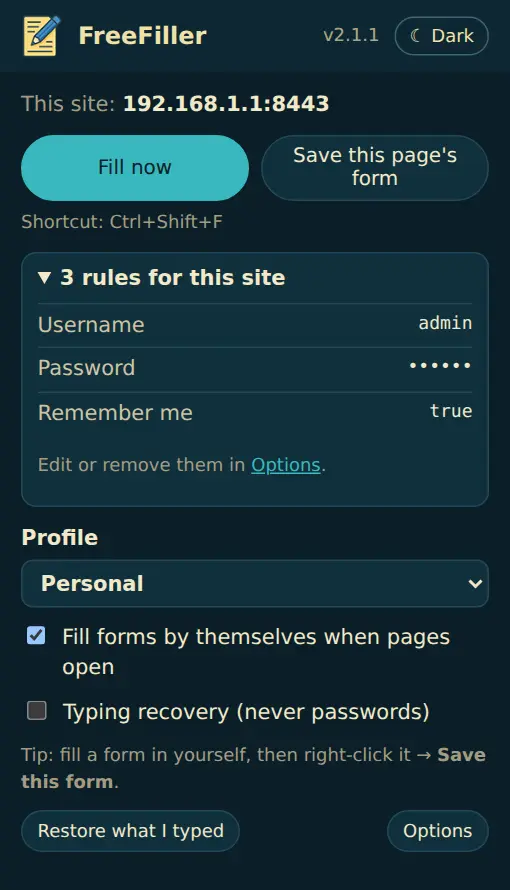
FreeFiller fills in forms for you: logins, router and device pages, sign-up forms, anything you type into often. Fill a form in once, right-click it and choose Save this form; next time FreeFiller fills it in by itself.
Made for device logins
Most routers, switches, firewalls, cameras and printers use a self-signed certificate, so Chrome shows its "Not secure" warning, and on those pages Chrome won't save or fill your password. That means typing the username and password by hand every single time, for some of us dozens or even a hundred times a day. FreeFiller doesn't mind the certificate: save the login once and it fills itself every time you open the page, on every device you manage.
Why it's free
Filling in your own forms, from data on your own computer, shouldn't need a subscription. Lightning Autofill was free for 14 years; with its move to Chrome's new extension format it switched to paid plans, and its free plan now stops after 10 fills a day. FreeFiller does the job with no limits, no account and nothing sent anywhere, and it imports your Lightning Autofill rules, including IP-address and regex site patterns.
| Feature | FreeFiller | Lightning Autofill Free | Lightning Autofill Plus |
|---|---|---|---|
| Price | Free | Free | $4.99 a month |
| Fills | Unlimited | 10 a day | Unlimited |
| Where your data lives | Your computer only | Your computer | Your computer, plus cloud sync to Google Sheets |
| Imports Lightning Autofill rules | Yes | — | — |
| Router and device pages, IP ranges, ports | Yes | Yes | Yes |
Lightning Autofill's prices are from their pricing page in October 2026. Their paid plans also offer things FreeFiller doesn't: cloud sync, JavaScript rules and reCAPTCHA filling (Pro, $9.99 a month), and a Firefox version. If you need those, they're worth a look. FreeFiller isn't connected with Lightning Autofill or its makers.
Features
- Fills logins Chrome won’t: router and device pages with self-signed certificates (“Not secure”), where Chrome’s password manager stays quiet.
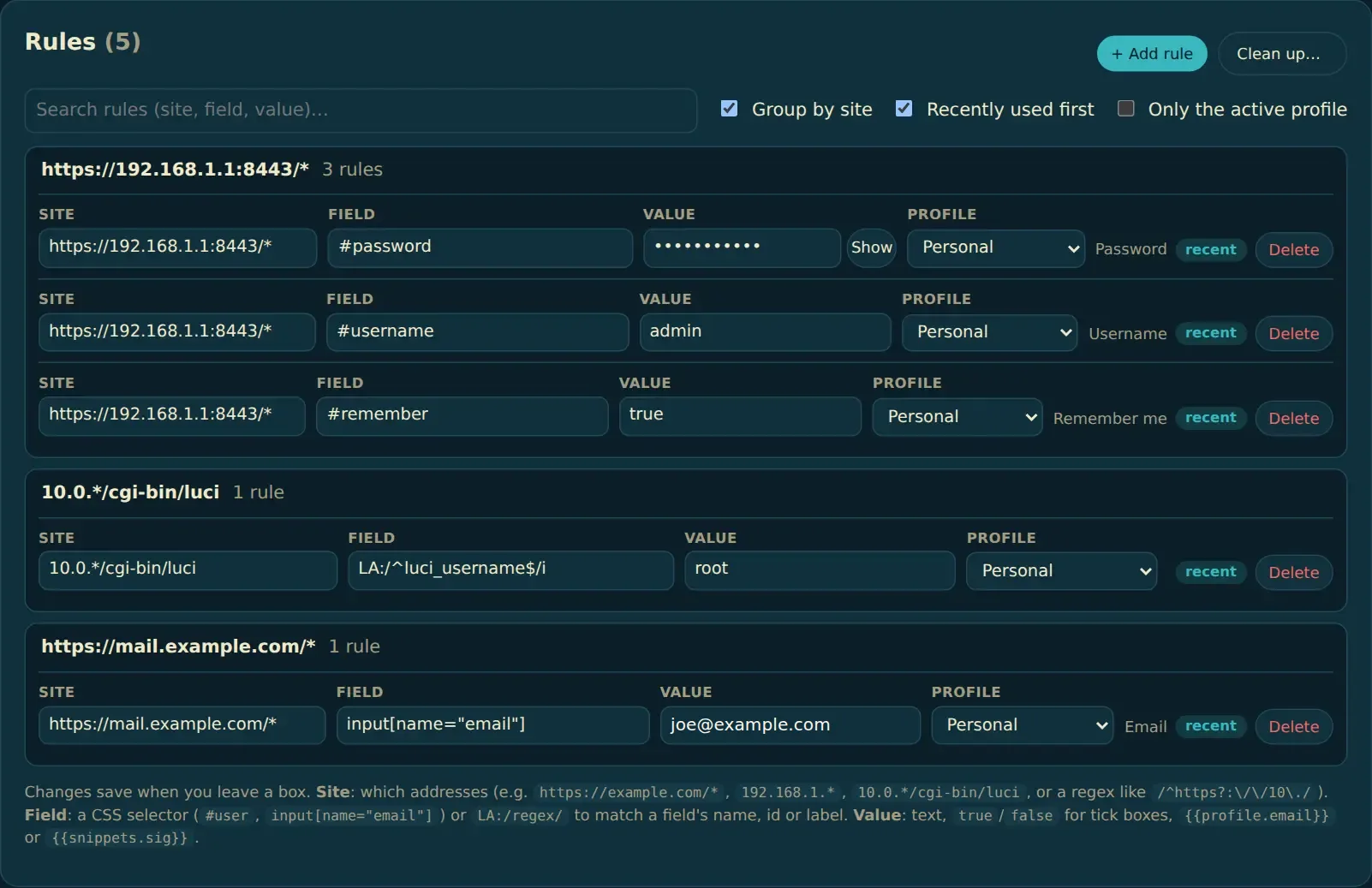
- Save this form: right-click a form you've filled in and it remembers every field, including the username and password.
- Works on modern sites (React and friends), router and device pages, logins inside frames and web components, and forms that appear late.
- Finds fields again even when a site changes their ids on every visit.
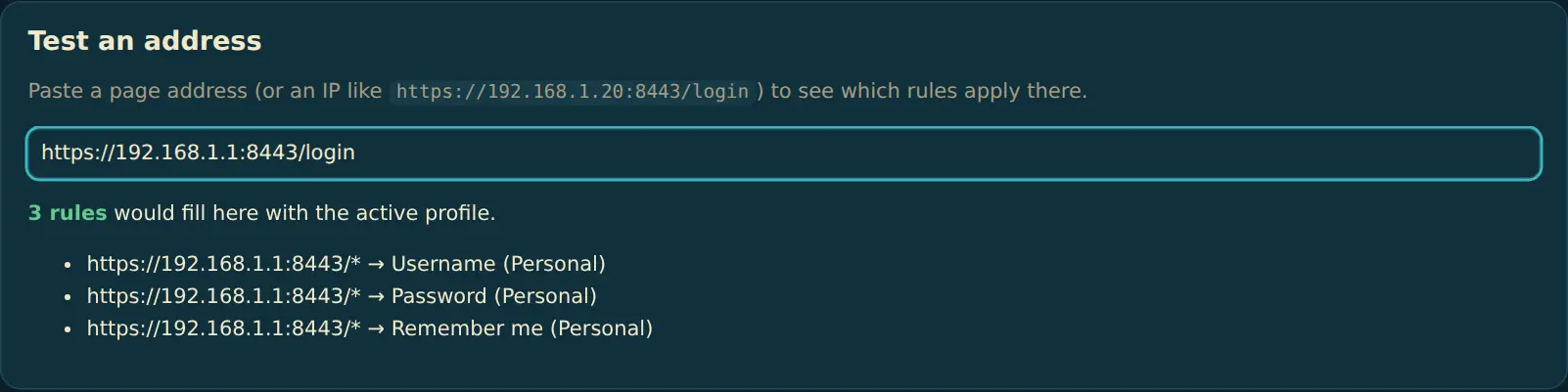
- Site patterns for any address:
example.com, IP ranges like192.168.1.*, ports, paths, or a regex. - Test an address shows exactly which rules apply to any page or IP.
- Clean up finds copies, rules that can never fill and leftovers, with undo.
- Profiles (Personal, Work…), snippets (type
;sigto expand), and typing recovery. - Imports Lightning Autofill CSV files; CSV and JSON backup and restore.
- Tells you when a new version is out. Dark, light or automatic appearance.
Screenshots
How to install
- Download the ZIP and unzip it somewhere it can stay (like Documents).
- Open
chrome://extensionsand turn on Developer mode. - Click Load unpacked and pick the FreeFiller folder (the one with
manifest.jsoninside). - Pin it to the toolbar. Step-by-step pictures, and how to update: Install and update FreeFiller.
Chrome may say this extension isn't from the Chrome Web Store. That's expected for extensions you install yourself from a ZIP.
Questions
How do I update to a new version?
Copy the new files over your existing FreeFiller folder and click reload on chrome://extensions; your rules stay. FreeFiller 2 also tells you when a new version is out. Pictures: Install and update FreeFiller.
Why doesn’t Chrome remember my router’s password?
Chrome won’t save or fill passwords on a page with a certificate warning, and most routers and network devices use a self-signed certificate. FreeFiller fills those pages anyway: fill the login in once, right-click → Save this form, and it’s filled for you from then on.
How is it different from Lightning Autofill?
FreeFiller is free with no daily limit, needs no account and never syncs anywhere. It reads Lightning Autofill’s CSV export, so your rules come across in one step (Options → Import & backup). Lightning Autofill’s paid plans add cloud sync, JavaScript rules and reCAPTCHA filling, which FreeFiller doesn’t do.
Where are my rules and passwords stored?
In Chrome’s own storage on your computer, never sent anywhere. They aren’t encrypted, so turn off Include passwords when saving a form in Options if other people use your computer account. Keep backups somewhere safe: they contain your passwords.
I used FreeFiller 1.x. Do I need to re-import anything?
No. 2.x reads your existing rules, profiles and snippets as they are. If Options shows a note about a “missing profile” (common after a Lightning import), one click moves those rules to your profile.
A form doesn’t fill. What can I check?
Open Options → Test an address and paste the page’s address to see which rules apply. Turn on Debug messages to see in the page’s DevTools console why a rule did or didn’t fill.