

Free Chrome extension
FreeRefMod
Send each site the referrer it expects: log into routers and devices from anywhere, or keep where you came from private.
Download v2.0.0 How to install
Version 2.0.0 Updated October 10, 2026 45 KB ZIP What's new
What it does
When your browser opens a page, it usually tells the site which page you came from, in a header called the Referer. FreeRefMod lets you choose what each site gets: a referrer you set, no referrer at all, or the normal one.
Where it started
FreeRefMod was built to manage InHand LTE cellular routers remotely. Their web page (by default at 192.168.2.1) only accepts a login when the browser says you came from the router's own local address, like http://192.168.2.1/. That's meant as protection, but it also means that when you reach the router any other way, over its cellular address, a VPN or a forwarded port, the login simply refuses. One FreeRefMod rule ("requests to this router: send http://192.168.2.1/") and the login works from anywhere.
Other good uses
- Other routers, firewalls, cameras, NAS boxes and printers that check the referrer the same way, and refuse you when you reach them by a different address or name.
- Privacy: a rule like every site, coming from other sites: Remove stops sites learning which page sent you there.
- Exceptions: a Keep rule above it for the few sites that need a referrer, like some image servers or payment pages.
- Web developers: see how your own site behaves with a missing or unusual referrer, without changing code.
Use it with devices and sites you're allowed to manage. A referrer check is one layer of protection, so keep remote access behind strong passwords and, ideally, a VPN.
Features
- Replace the referrer with your own (for example a device’s own address), Remove it, or Keep it as an exception.
- Target any site:
example.com,*.example.com, an IP, a range like192.168.1.*, a port like:8443, or a full address. - Limit rules by where the request comes from: a site, an IP range, same site or other sites.
- The first rule in the list that fits is used; move rules up and down to set the order.
- Test a request shows which rule would be used, without visiting anything.
- Each rule gets a plain-English summary, and a rule with a problem is marked instead of affecting every site.
- Popup with an on/off switch, the rules for the current site and one-click rules for it.
- Per-rule on/off switch and notes, backup and restore, dark/light/automatic appearance, new-version note.
Screenshots
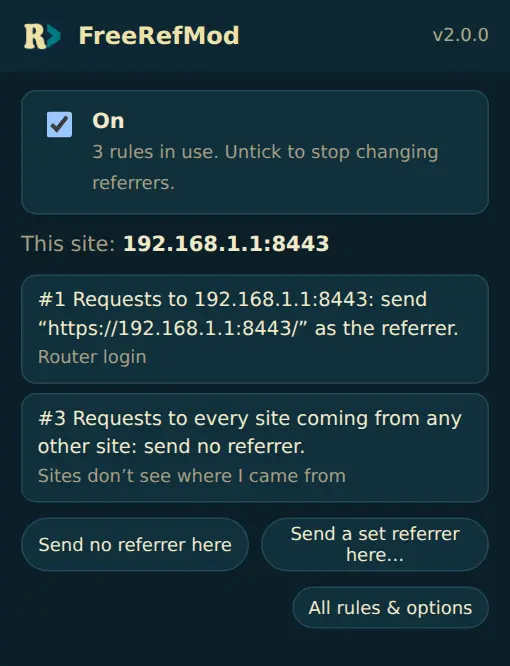
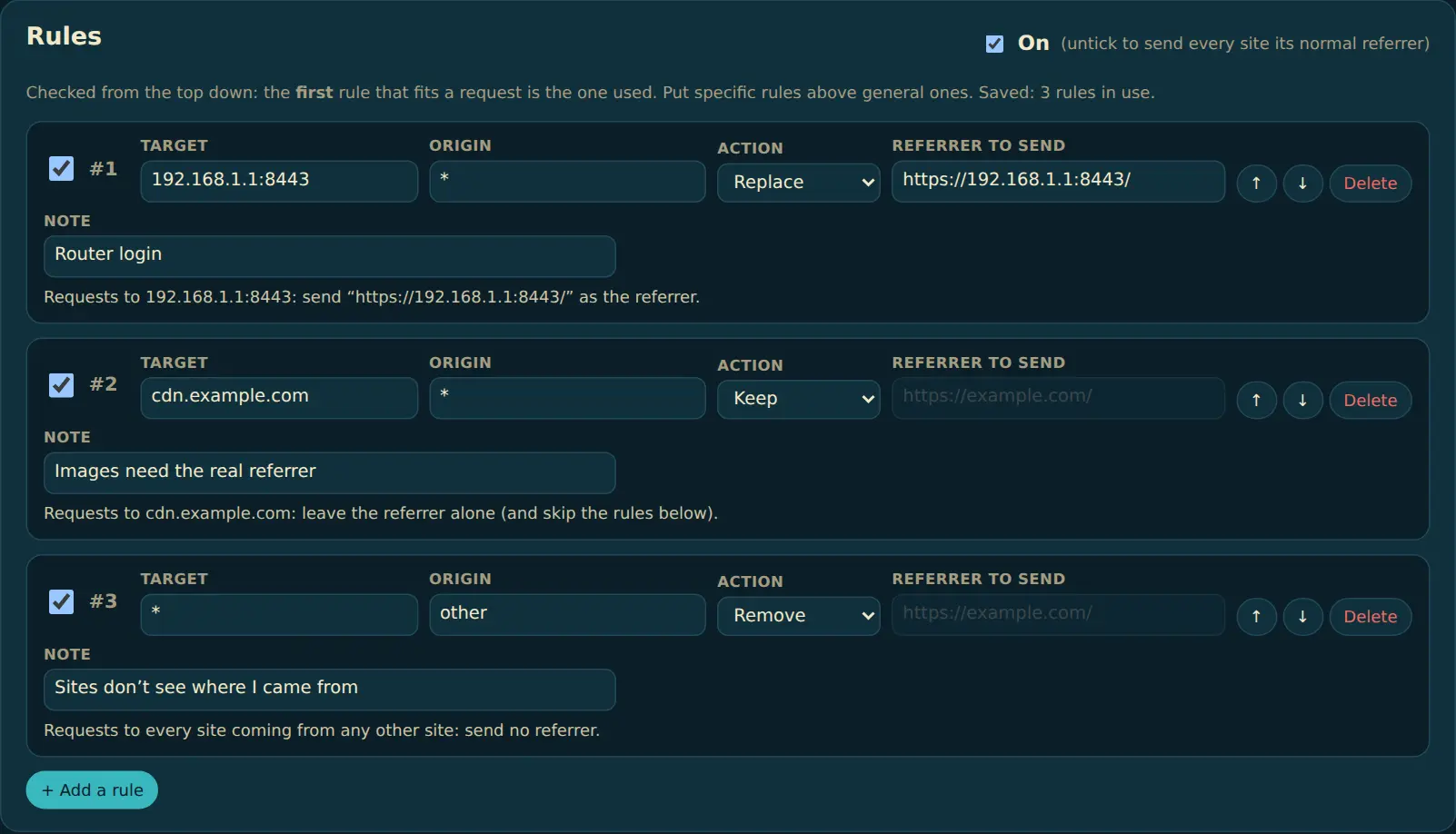
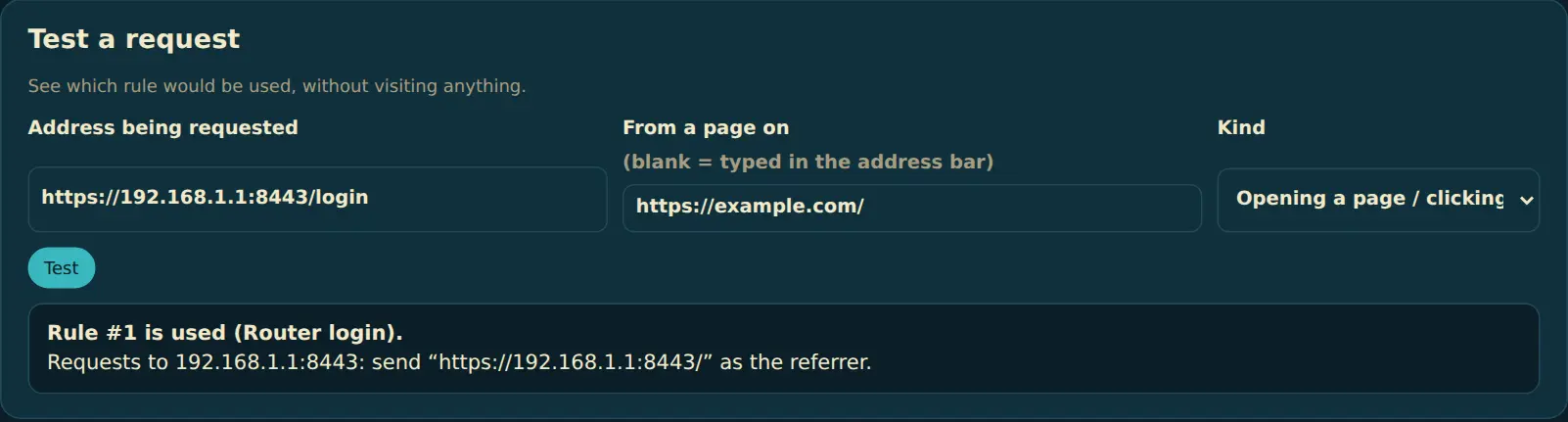
How to install
- Download the ZIP and unzip it somewhere it can stay (like Documents).
- Open
chrome://extensionsand turn on Developer mode. - Click Load unpacked and pick the FreeRefMod folder (the one with
manifest.jsoninside). - Pin it to the toolbar. Step-by-step pictures, and how to update: Install and update FreeRefMod.
Chrome may say this extension isn't from the Chrome Web Store. That's expected for extensions you install yourself from a ZIP.
Questions
How do I update to a new version?
Copy the new files over your existing FreeRefMod folder and click reload on chrome://extensions; your rules stay. FreeRefMod 2 also tells you when a new version is out. Pictures: Install and update FreeRefMod.
My router still refuses the login. What can I check?
Open the router’s login page on its local network once and note the exact address (for an InHand router, usually http://192.168.2.1/). That is the referrer to send. Then in Options → Test a request, type the address you use remotely: it shows which rule is used. If the router is on a port (like :8443), include it in the rule’s target, and make sure no broader rule sits above it.
I used FreeRefMod 1.x. Do I need to set it up again?
No. 2.x reads your rules as they are. If one of them had a mistake that made it apply to every site, it’s now marked in Options so you can fix it.
Does it change document.referrer too?
No. It changes the Referer header that reaches the website’s server, which is what logins and most sites check. A page’s own JavaScript isn’t something Chrome lets extensions change.